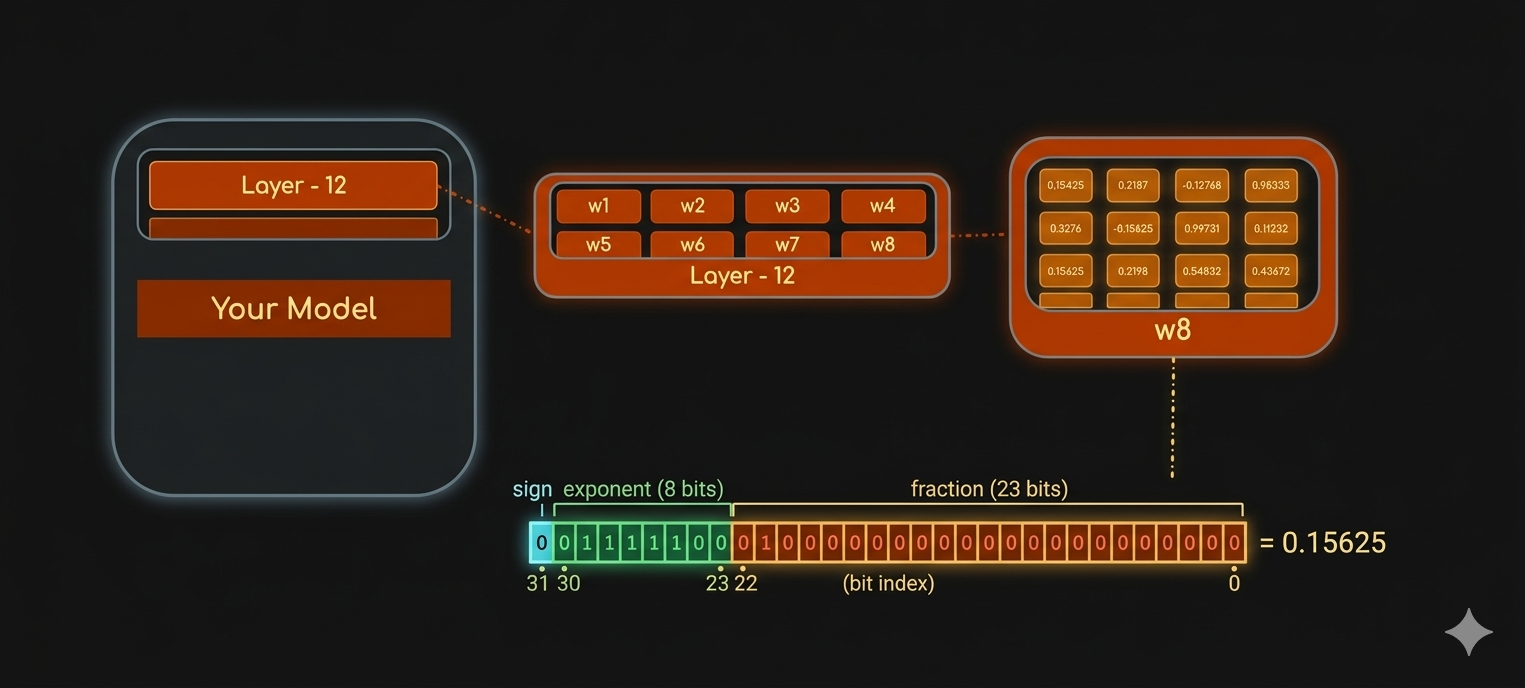
In this post, we will load machine learning models in different data types (full-precision or half-precision) and study their impact on the model’s performance.
We will inspect the data type of a model (in other words, we will inspect the data type of the model weights or learnable parameters).
Below is the code for a dummy model class. torch.nn.Module is the base class for all neural network modules. When implementing a model, our models should subclass this class. You can learn more about Pytorch Module.
import torchimport torch.nn as nnclass TinyNet(nn.Module):""" A dummy model that consists of an embedding layer with two blocks of a linear layer followed by a layer norm layer. """def__init__(self):super().__init__() torch.manual_seed(123)self.token_embedding = nn.Embedding(2, 2)# Block 1self.linear_1 = nn.Linear(2, 2)self.layernorm_1 = nn.LayerNorm(2)# Block 2self.linear_2 = nn.Linear(2, 2)self.layernorm_2 = nn.LayerNorm(2)self.head = nn.Linear(2, 2)def forward(self, x): hidden_states =self.token_embedding(x)# Block 1 hidden_states =self.linear_1(hidden_states) hidden_states =self.layernorm_1(hidden_states)# Block 2 hidden_states =self.linear_2(hidden_states) hidden_states =self.layernorm_2(hidden_states) logits =self.head(hidden_states)return logits
Since, we inherited the base class torch.nn.Module for the model implementation, the base class contains an iterator method named_parameters to loop over the module parameters. We can use this iterator and display the data type for all the parameters.
for name, param in model.named_parameters():print(f"{name} is loaded in {param.dtype}")
Python
token_embedding.weight is loaded in torch.float32
linear_1.weight is loaded in torch.float32
linear_1.bias is loaded in torch.float32
layernorm_1.weight is loaded in torch.float32
layernorm_1.bias is loaded in torch.float32
linear_2.weight is loaded in torch.float32
linear_2.bias is loaded in torch.float32
layernorm_2.weight is loaded in torch.float32
layernorm_2.bias is loaded in torch.float32
head.weight is loaded in torch.float32
head.bias is loaded in torch.float32
We can see all the model parameters (weights and biases) are loaded in FP32 by default in PyTorch.
Model Casting
float16
Let’s downcast the model to FP16. We can use .half() method to change full precision FP32 to half precision FP16.
model_fp16 = TinyNet().half()
Python
Now, let’s print the model parameters to see the data type.
for name, param in model_fp16.named_parameters():print(f"{name} is loaded in {param.dtype}")
Python
token_embedding.weight is loaded in torch.float16
linear_1.weight is loaded in torch.float16
linear_1.bias is loaded in torch.float16
layernorm_1.weight is loaded in torch.float16
layernorm_1.bias is loaded in torch.float16
linear_2.weight is loaded in torch.float16
linear_2.bias is loaded in torch.float16
layernorm_2.weight is loaded in torch.float16
layernorm_2.bias is loaded in torch.float16
head.weight is loaded in torch.float16
head.bias is loaded in torch.float16
We can see the data type is now FP16.
Impact on Model Inference
In this section, we will pass an input tensor and infer the model in both full and half precisions; to see how down casting can affect the model performance. Let’s first create a dummy Tensor input.
Now, let’s try to infer the float16 model. We can see the model got inferred because I ran this piece of code on MacBook Pro M3 Max, so it must have used the GPU under the hood instead of CPU. But if it was CPU, it would’ve thrown error that CPU kernels are not implemented for float16.
Now, we want to see how much performance for the model might have degraded after down casting. We will first take the element-wise difference between the two outputs. And then, take the average difference across all the elements (it gives the overall error) and the largest difference across all the elements (it gives the worst-case error).